
Key takeaways: An AI employee is different from a chatbot in three ways: it works where your team works, it uses your actual tools, and it is accountable for what it does. Bob raises that bar with 3,200+ app connections, per-person access to personal tools, company/channel/person memory, plain-language schedules, email and webhook triggers, human approval before sensitive writes, and a receipt when the work is done.
A chatbot answers. An employee does.
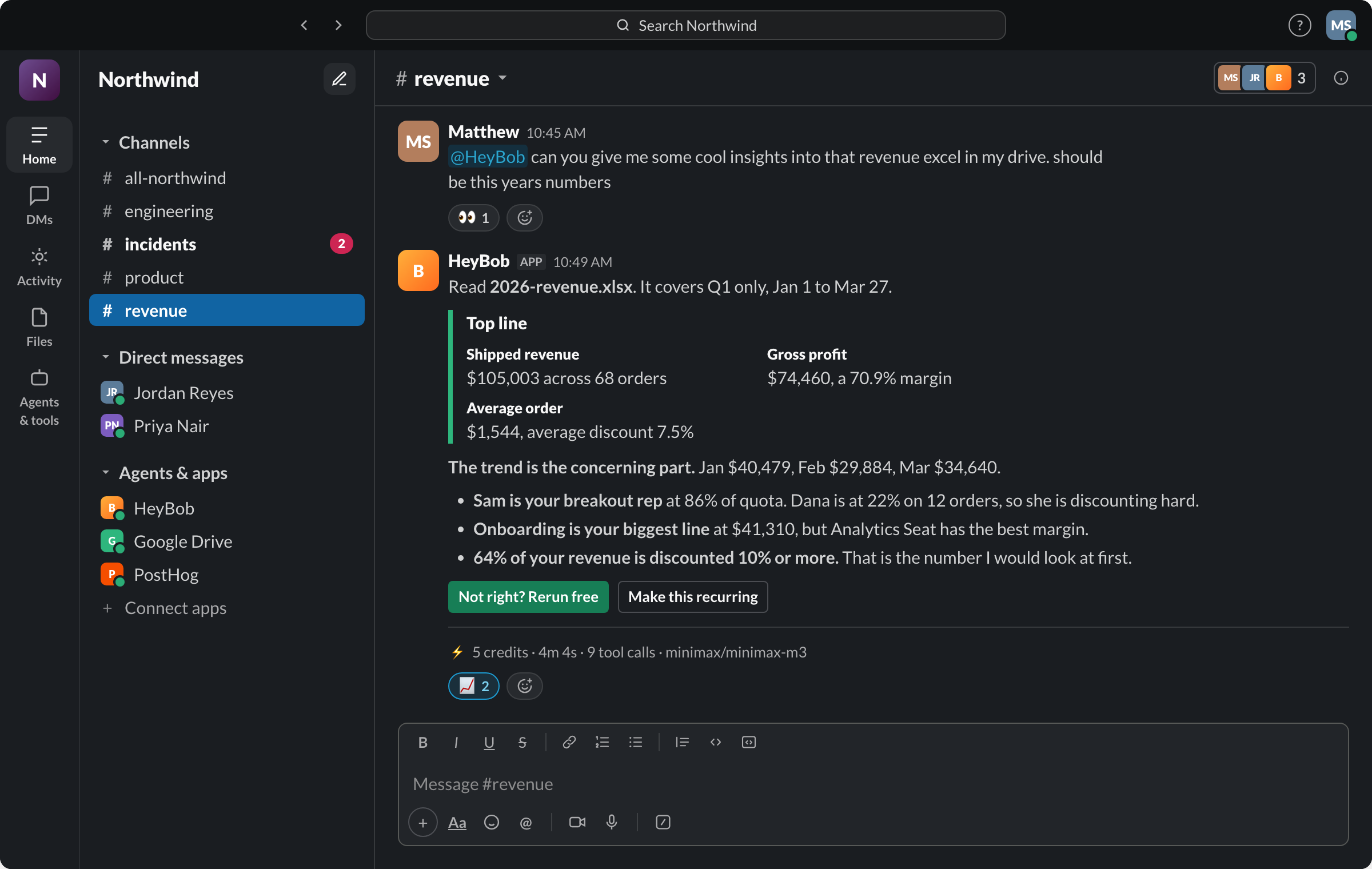
You don't hire a person to answer questions. You hire them to close the books, chase the overdue invoices, prep the QBR deck, and keep the pipeline honest, and then you hold them accountable for what they did. An AI employee is held to the same standard: it lives in your Slack, someone @mentions it with real work, and it goes and does that work across the systems your team already uses. Bob can reach 3,200+ apps, work through an API or browser when the catalog is not enough, and use a real computer to write code, build spreadsheets, and generate charts.
That last part matters more than it sounds. Plenty of AI products can tell you about your data. An employee produces the deliverable: the reconciled report, the filed ticket, the sent follow-up. The output lands back in the channel where you asked, as a file you can forward.
The trust checklist
Here's the uncomfortable truth about this category: giving an AI write access to the systems your business runs on is a bigger decision than most vendors want you to think about. Before you let any AI employee touch production systems, ours included, it should pass this checklist. (Comparing tools? Here's what to look for in an AI coworker for Slack.)
- Writes pause for a human. Anything that creates, changes, sends, or deletes something in an external system should stop and ask, in plain language, with an Approve/Deny button, by default, not as an add-on.
- You can read what it's asking to do. An approval prompt should say what it found and what will happen, not dump a wall of JSON at you.
- The important decisions stay visible. Approval requests and decisions should live beside the work, not disappear into an admin screen.
- Every task has a price tag. Larger and unattended jobs should show an estimate before they run, each completed task should end with a readable receipt, and the month should have a hard spend cap you set.
- It runs in a locked room. Task execution should happen in an isolated, sandboxed environment with controlled network egress, not with the run of your infrastructure.
Bob does all five in the Slack thread: cards before sensitive writes, action-level run history, cost and duration receipts, and isolated disposable sandboxes. Then he adds the colleague layer most control systems miss: scoped memory you can inspect and correct, per-user connections so he acts with the right person's access, and mid-run steering so a follow-up changes the work already underway instead of starting over.
If a product can't show you all five, what you're evaluating isn't an employee. It's an intern with your production credentials.
Why this category is suddenly crowded
Every serious AI company is now building toward the same picture: an agent that sits in your team's chat and does real work. That's validation. The picture is correct. The differences that matter are in the operating system around the model: how many real systems it can reach, whose credentials it uses, whether memory has scope and provenance, whether a teammate can interrupt or redirect it, who approves a write, and whether the result comes with a bill and a record. Bob is built to win on those boring parts because those are the parts that decide whether a team trusts the product after the demo.
FAQ
Is an AI employee a replacement for a person?
For a role, rarely. For the 20 hours a week of repetitive ops work spread across your existing team, yes. That's the honest pitch.
What does it cost?
Bob is priced by credits, a metered unit that covers models, tools, and compute, with plans scoped by monthly credit volume, estimates before larger jobs, compact receipts on completed runs, rollover, and a hard spend cap. Connecting an app is refunded, and reruns caused by Bob's mistake are free.
How fast is setup?
Installing Bob into Slack takes about two minutes. Connecting your first tool takes one more.