 HeyBob
Use AI on client work without handing over client names.
Your team wants AI help with the work that eats the week: client emails, renewal reminders, reports, the follow-ups after a call. Then someone reads the contract. The client NDA says their information does not go to third parties. An AI company is a third party.
- AI companies never see the real names
- Nothing kept or trained on
- Credits cost the same
A third answer.
Most companies land on one of two answers. Ban AI on client work, and watch people paste client details into personal chatbots anyway. Or trust a vendor’s promise and hope nobody asks. Privacy mode in HeyBob is a third answer: the AI does the work, but it never sees the real names. This post covers why a company would turn it on, and the limits you should know first.
What privacy mode does.
The AI companies Bob works with never see who or what the work is about: your clients, their customers, deal sizes, pricing and project code names stay private.
Privacy mode also only uses AI that promises not to keep your work or learn from it. The privacy mode page has the full list of what it covers.
“Write a board update: Northwind Foods signed for $1.2M.”
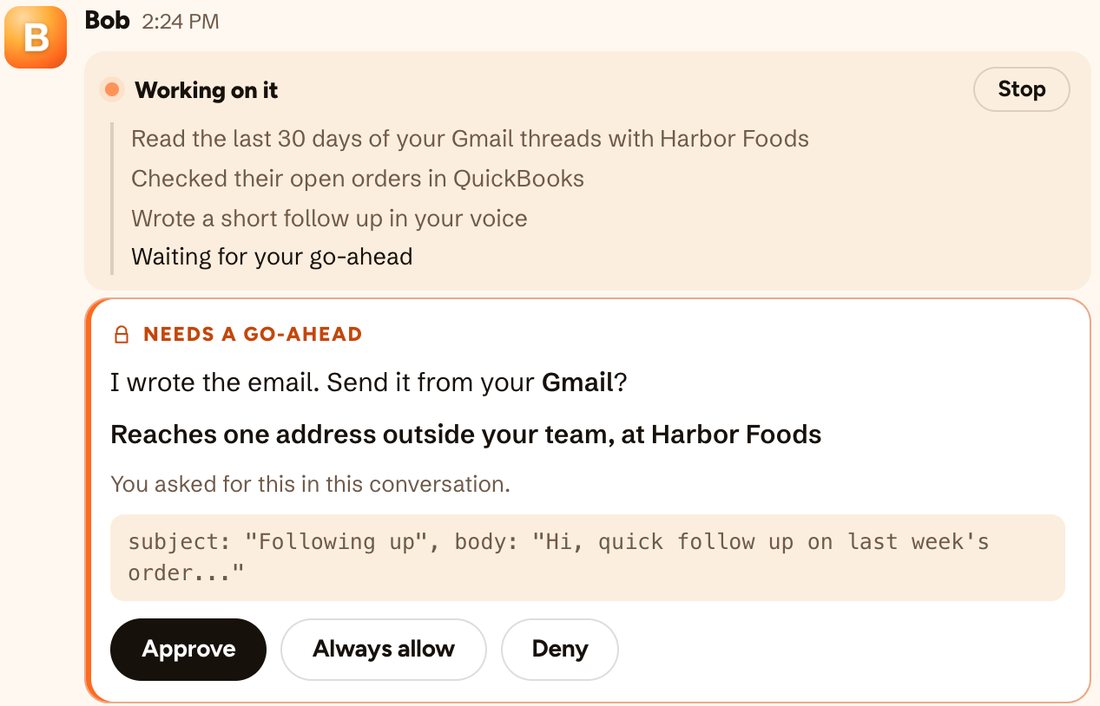
Bob writes the update with you, and the AI company that helped never learns the client or the amount. The finished draft has the real details, and it goes out only after you approve it.
Why a company turns it on.
Client contracts say “no third parties”
Agencies, consultancies, accounting firms, recruiters and outsourced teams all sign NDAs that limit who sees client information. With privacy mode, your client’s name, their customers’ names and their numbers stay out of the request. Whether that satisfies a given contract is a question for your lawyer, but it is a much easier question than “we sent it all and they promised to delete it.”
A short answer you can prove
Security questionnaires always ask some version of “who sees our data?” Privacy mode gives you a plain answer: the AI companies never see your client details, and nothing is kept or trained on. Admins can download a record of every privacy mode job. That is evidence, not just a promise.
What a vendor never gets, it cannot leak
Every company you send data to is one more place it can go wrong: a breach, a misconfigured log, a change in policy. A real name that never left your side is not in anyone else’s logs. Privacy mode shrinks the list of places your client data lives.
Deal secrets stay secret
Some of your most sensitive words are not names or numbers at all. An acquisition target, an unreleased product, a client you are not allowed to say you work with. Admins add those words once, and they stay private from then on.
People stop working around the rules
A ban on AI does not stop people using it. It just moves the work to personal accounts nobody can see. Giving the team a tool that is safe to use on client work is how you get that work back where you can watch it, with approvals and a record of every job.
Why the work still comes out right.
Hiding things only helps if the answers stay useful. A few choices keep them that way.
- The AI still gets what it needs. It can write the reminder without knowing who Maria is, so the draft still makes sense.
- Your own tools get the real details. Privacy mode is about AI companies. When Bob sends the email, updates your CRM or saves the file, the real name goes in, because that is the job.
- The rest of Bob works as usual. Approvals before anything is sent, cost receipts and spending caps all work the same. Credits cost the same with privacy mode on.
The limits, plainly.
Privacy mode is strong, but it is not magic. Here is what to know before you rely on it.
They stay on, and each one says so where you use it.
- Meeting recordings. The audio goes to our transcription service as recorded.
- Web search. Each search goes out exactly as written, so keep private details out of what you ask Bob to look up.
- Pictures. A screenshot goes to the AI company as it is, and names in it can be read.
- The secure browser. What you type there, and the login it saves, reach the company that hosts the browser.
- Outside calls from apps Bob builds. When an app Bob hosts calls an outside service it was set up to use, the request goes as the app wrote it.
Tell Bob your code names
Bob knows a name or an account number when he sees one. An internal code name can look like an ordinary word, so add the ones that matter most to you on day one.
The AI cannot use what it knows about a private client
If a company’s name stays private, the AI cannot draw on what it knows about that company. For most client work that does not matter: a board update does not need the AI to know your client’s history. When you do want outside facts about a company, that is a web search, and web search is not covered by privacy mode. Decide case by case.
A few are off the menu
Almost every model we offer has a host that keeps nothing. The few that do not are hidden in privacy mode. A job set to one of them runs on a model that does, and its receipt says so.
A job stops rather than take a risk
If no host that keeps nothing is available, the job stops instead of going somewhere else. That is rare, but it means privacy mode picks safety over always finishing.
It is not a HIPAA product
Privacy mode is built for teams under NDAs and teams that want the most privacy they can get. We do not sign business associate agreements today, so it is not the answer for protected health records.
It is about AI companies, not about HeyBob
Bob still needs the real values to do the job, so your data stays in HeyBob’s own systems, encrypted, as it does today. Privacy mode controls what reaches the AI companies Bob works with. Our security page covers how HeyBob itself protects your data.
Is it right for you?
| Turn it on if | You can probably skip it if |
|---|---|
| Client contracts limit who sees their information | Bob mostly works on your own internal docs and tasks |
| Security reviews ask where customer data goes | Nothing you handle is under an NDA |
| You have deal names or code names that must not leave | You rely on a model that privacy mode hides |
| People already use personal AI tools on client work | You need a HIPAA business associate agreement |
How to turn it on.
Privacy mode is an add-on for any paid plan. An admin can turn it on for the whole company, and then it covers everyone, scheduled jobs included. Anyone can also turn it on just for their own work. Talk to us to add it.
The AI does the work. It never sees the names.
Let Bob do the work. Keep the names. Privacy mode is an add-on for any paid plan, and credits cost the same.